 AADDESK SYSTEMS LTD.
Help & Customer Service
 English
 中文
中文
AADdesk > Help
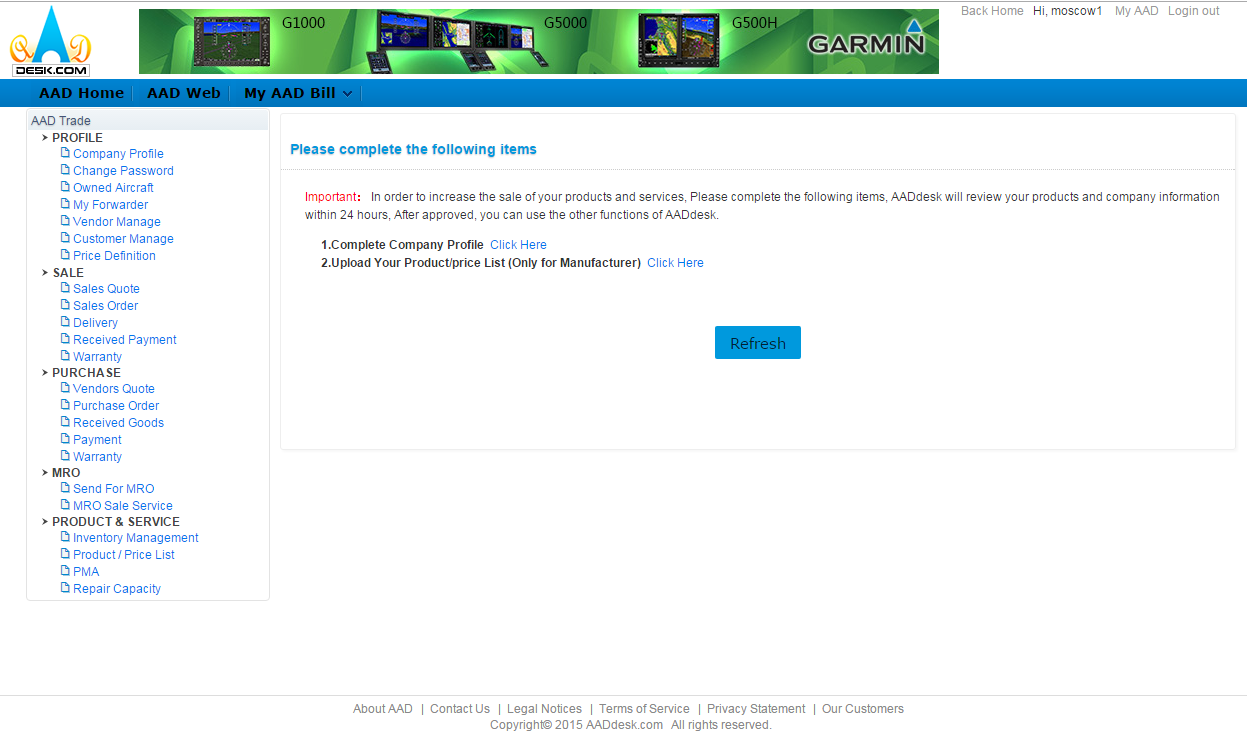
Complete information
1.1 Complete the Required Information
Once registration is complete, AADdesk Staff will review your
registration within 12 hours and validate your company profile.
*Note: If any error occurs, AADdesk will notify you immediately. Changes must be corrected before your account gets validated.
*Note: If any error occurs, AADdesk will notify you immediately. Changes must be corrected before your account gets validated.
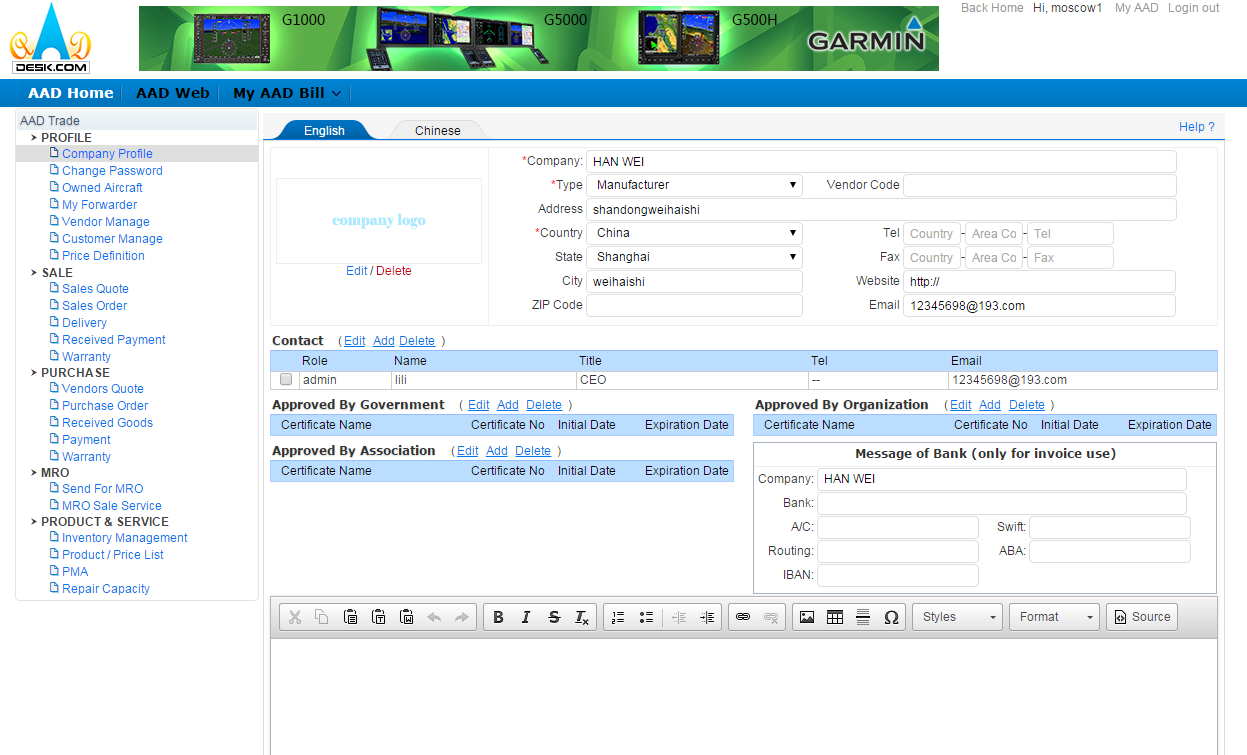
1.2 Company Profile
All information listed must be correct, this will prevent any
delays from account approval.
*Note: This will also shorten your time for listing your inventory and sending RFQ's.
A. All Enterprise users must attach a company logo, otherwise RFQ's will not be received.
B. If you have a "Vendor Code" please enter for a more accurate and detailed search.
C. Approved By Government: Suppliers who are government approved must provide a "Government Approved Certificate". If you are a repair station, "Government Approved Repair Station Number" must be filled in order to be approved.
D. If you are "Approved by an Organization" it is recommend to input this information to increase your company credibility and search counts.
E. Approved By Associate:NBAA etc.
F. Contact:There are a total of 4 roles.
*Note: This will also shorten your time for listing your inventory and sending RFQ's.
A. All Enterprise users must attach a company logo, otherwise RFQ's will not be received.
B. If you have a "Vendor Code" please enter for a more accurate and detailed search.
C. Approved By Government: Suppliers who are government approved must provide a "Government Approved Certificate". If you are a repair station, "Government Approved Repair Station Number" must be filled in order to be approved.
D. If you are "Approved by an Organization" it is recommend to input this information to increase your company credibility and search counts.
E. Approved By Associate:NBAA etc.
F. Contact:There are a total of 4 roles.
(1)Admin Role: This is the master account, which gives user the access
to add or take away the number of secondary users. This function allows
the user to edit and manage AADweb and corporate communication information.
(2)Sales and Purchase Role: This is the default "Role" where admin can list Inventory and manage RFQ's. This Role can also be assigned to a secondary user to access the "Sales and Purchase" option.
G. Bank information:This is only applicable to users who decide
to utilize the "System of Trade" or "Order Management
Systems" This allows users to have an easier payment method between
suppliers and end users.
(2)Sales and Purchase Role: This is the default "Role" where admin can list Inventory and manage RFQ's. This Role can also be assigned to a secondary user to access the "Sales and Purchase" option.
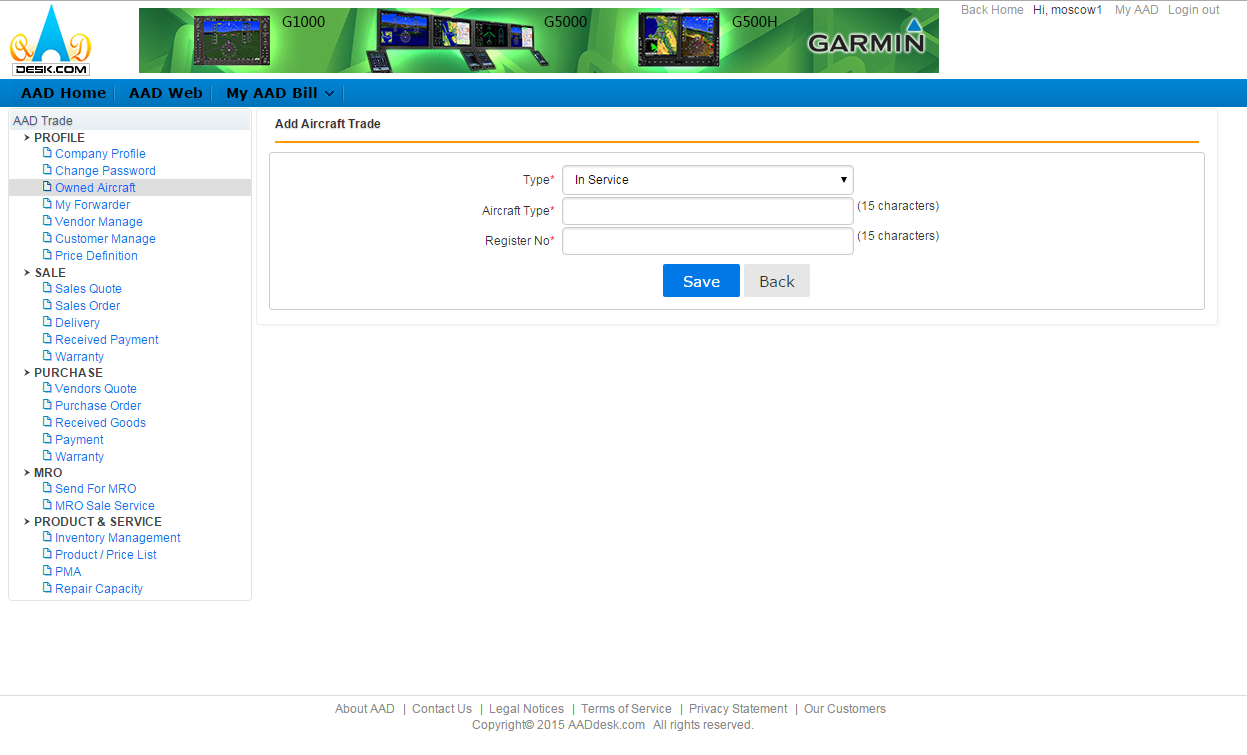
1.3 Owned Aircraft (Only if applicable)
Please enter your current aircraft type or aircraft registration number.
This will expedite the process of selling or leasing-out aircrafts.
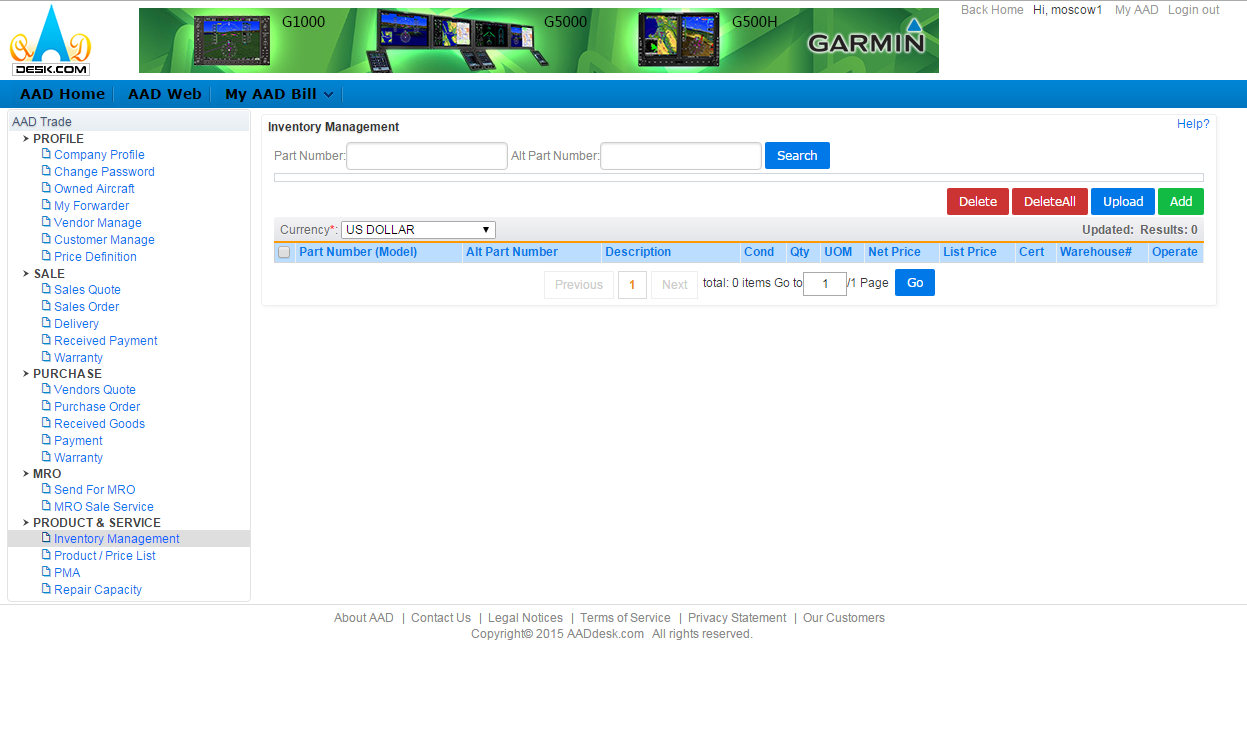
1.3.1 For All Registered Users:
Two ways to improve "Inventory Management"
A. ADD: A single user can add inventory
B. Use the Template upload function (*Note: must download excel template)
A. ADD: A single user can add inventory
B. Use the Template upload function (*Note: must download excel template)
Template Guidelines:
(1)Part Number and Condition must be entered
(2)There are 5 different types of Conditions:NE NS SV OH AR, if there are any condition besides the 5 listed, AADdesk systems will not recognize it.
(3)Usernames must use the provided template to upload inventory on to the website (*Note: Excel only)
(4)The title of the template cannot be altered.
(1)Part Number and Condition must be entered
(2)There are 5 different types of Conditions:NE NS SV OH AR, if there are any condition besides the 5 listed, AADdesk systems will not recognize it.
(3)Usernames must use the provided template to upload inventory on to the website (*Note: Excel only)
(4)The title of the template cannot be altered.
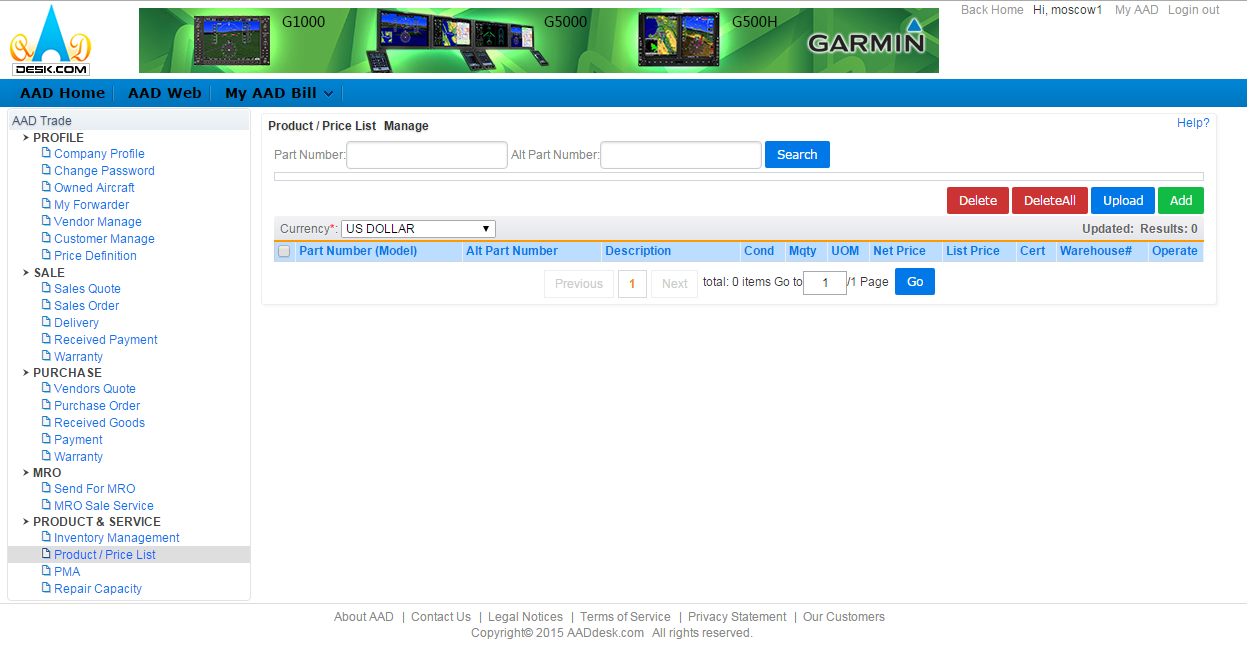
1.3.2 Product/Price list :For registered users from the manufacturers
Product/price list management
A. ADD: A single user can add inventory
B. Use the Template upload function (*Note: must download excel template)
A. ADD: A single user can add inventory
B. Use the Template upload function (*Note: must download excel template)
Template Guidelines:
(1)Part Number and Condition must be entered
(2)All condition must be "NE"
(3)Usernames must use the provided template to upload inventory on to the website (*Note: Excel only)
(4)The title of the template cannot be altered.
(1)Part Number and Condition must be entered
(2)All condition must be "NE"
(3)Usernames must use the provided template to upload inventory on to the website (*Note: Excel only)
(4)The title of the template cannot be altered.
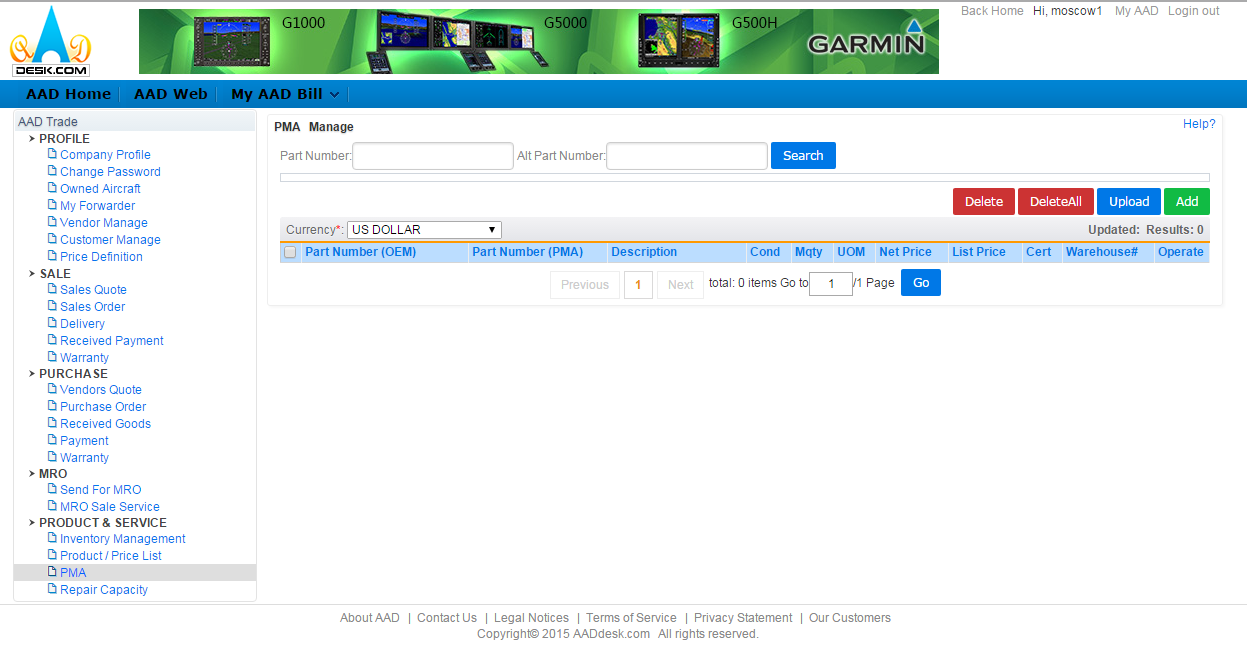
1.3.3 PMA: For the Registered PMA users
There are 2 ways to improve "PMA"
A. ADD: A single user can add inventory
B. Use the Template upload function (*Note: must download excel template)
A. ADD: A single user can add inventory
B. Use the Template upload function (*Note: must download excel template)
Template Guidelines:
(1)Part Number and Condition must be entered
(2)All condition must be "NE"
(3)Usernames must use the provided template to upload inventory on to the website (*Note: Excel only)
(4)The title of the template cannot be altered.
(1)Part Number and Condition must be entered
(2)All condition must be "NE"
(3)Usernames must use the provided template to upload inventory on to the website (*Note: Excel only)
(4)The title of the template cannot be altered.
1.3.4 Repair Capability:For Users registered as "Repair Stations or Government Approved Repair Stations"
There are 2 ways to improve "PMA"
A. ADD: A single user can add inventory
B. Use the Template upload function (*Note: must download excel template)
A. ADD: A single user can add inventory
B. Use the Template upload function (*Note: must download excel template)
Template Guidelines:
(1)Part Number and Condition must be entered
(2)At least one of the following must be entered: Test, repair, or overhaul modification
(3)Please check the appropriate approved maintenance program which your company falls under: FAA, EASA, and CAAC
(4)The title of the template cannot be altered.
(1)Part Number and Condition must be entered
(2)At least one of the following must be entered: Test, repair, or overhaul modification
(3)Please check the appropriate approved maintenance program which your company falls under: FAA, EASA, and CAAC
(4)The title of the template cannot be altered.
About AAD | Contact Us | Legal Notices | Terms of Service | Privacy Statement
Copyright© 2026 AADdesk.com All rights reserved.